.png)
Customer / Buyer Portal - Platform Tour
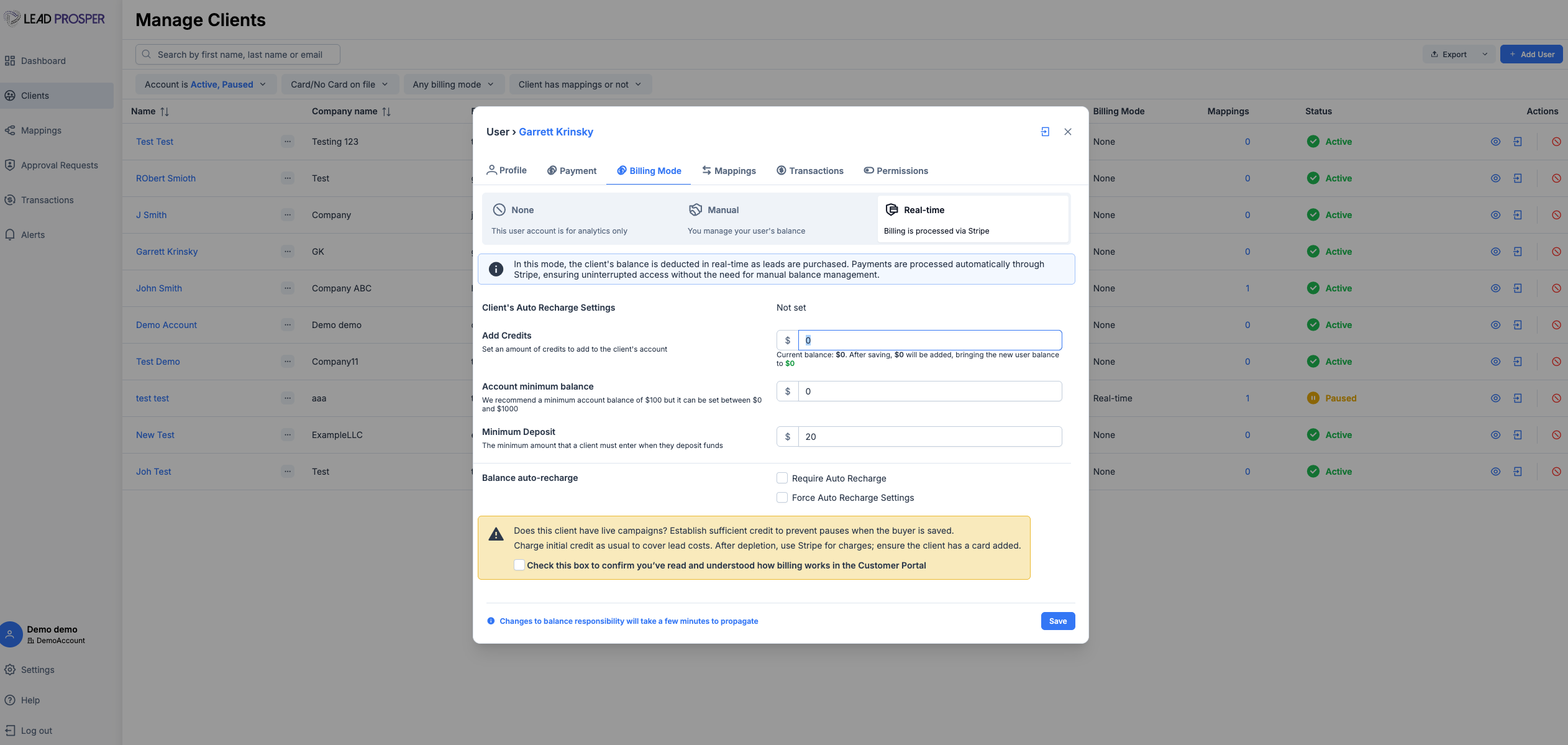
The Customer / Buyer Portal provides a dedicated, white-labeled front-end experience for your buyers, allowing them to log in and manage their accounts, billing, and lead activity.
Through the portal, buyers can fund their accounts in real time, view performance, manage configurations, and submit requests—while administrators maintain full control over permissions, approvals, and account activity.
Real-time billing and credit card processing for the portal is maintained through a Stripe account that you link to your portal.
Who Typically Uses This Page
- Admins who want to streamline buyer management, billing, and support workflows
- Buyers who need visibility into performance, billing, and the ability to manage or request changes to their setup
Key Things You Can Do
As an Admin
- Invite buyers to create and access portal accounts
- View and manage buyer accounts from an admin-level perspective
- Configure default portal settings, permissions, and billing behavior
- Control what buyers can view, edit, or request changes for
- Approve or deny buyer-submitted requests (pricing, caps, filters, returns)
- Enable or disable auto-approval workflows for specific changes
- Add credits or funds to buyer accounts manually
As a Buyer
- Set up and manage real-time billing through Stripe
- Add funds and configure automatic recharge thresholds
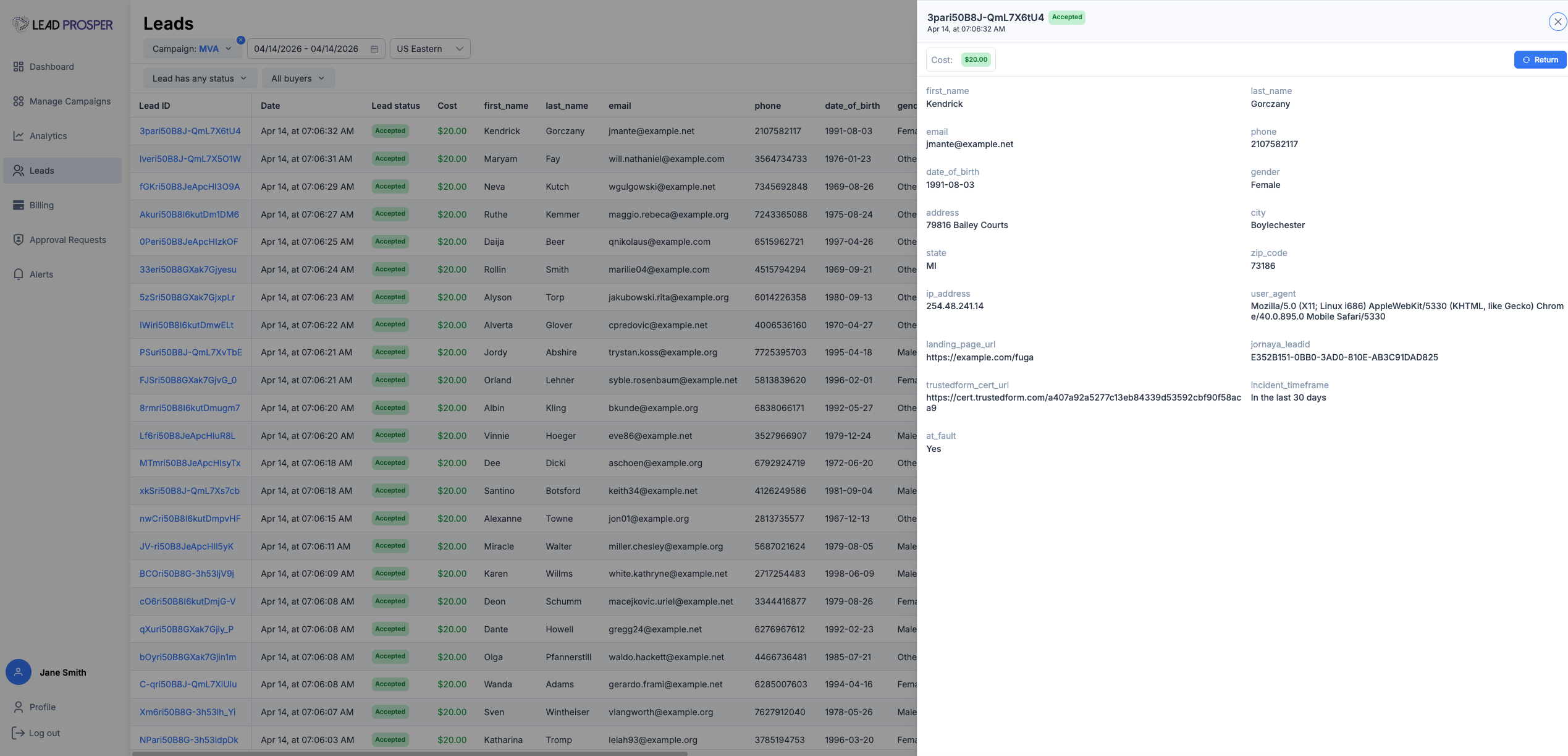
- View lead performance and detailed lead-level data
- Manage or request updates to caps, pricing, and filters (based on permissions)
- Submit lead return requests
- Monitor account activity and overall performance
Important Features
Real-Time Billing
Buyers can connect a credit card via Stripe and fund their accounts in real time. Charges are applied automatically as leads are sold, reducing manual invoicing and improving payment collection speed.
Buyer Self-Service with Admin Control
The portal enables buyers to manage their setup directly or submit structured requests for changes such as pricing, caps, and filters. These requests can be configured to auto-approve or require manual review, giving you full control over how changes are applied.
Granular Permissions
Admins can define exactly what buyers are allowed to view, edit, or request. This ensures flexibility for buyers while maintaining strict control over critical campaign settings.
Custom Subdomains & White Labeling
The portal can be fully white-labeled and deployed on a custom subdomain (e.g., portal.yourdomain.com ), including your branding, logo, and domain—providing a seamless, client-facing experience.
Lead Transparency & Reporting
Buyers have access to detailed lead-level data and performance insights, giving them full visibility into the leads they receive and how those leads perform.
The Customer / Buyer Portal is a key tool for scaling buyer operations. By shifting billing, configuration management, and change requests into a structured self-service system, it reduces support overhead, minimizes manual work, and accelerates payment collection.
At the same time, it provides buyers with greater transparency and control—creating a more efficient, scalable, and professional experience for both sides of the marketplace.