.png)
The Different Levels Of Duplicate Checks in Lead Prosper
Lead Prosper provides several layers of duplicate checking to prevent buying, ingesting, or selling the same lead more than once. This article covers each method: internal system checks, campaign-level dupe checking, cross-campaign dupe checking, pre-ping dupe checks, and buyer-level duplicate responses.
Campaign Dupe Checker
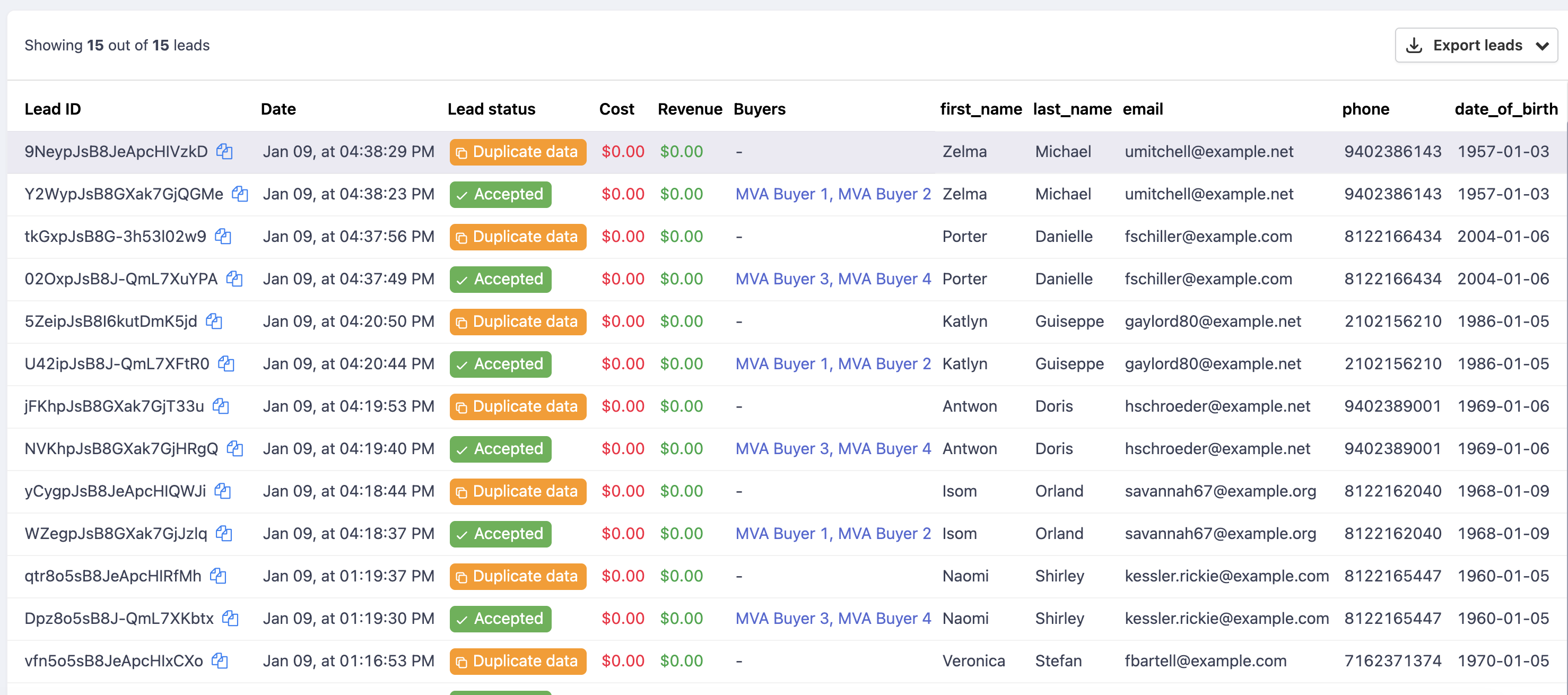
Every campaign allows you to enable duplicate checking for incoming leads. The Dupe Checker looks for duplicates within the current campaign and flags leads as duplicates while they are being sent by your Suppliers. This prevents buying and ingesting leads multiple times, and helps prevent double selling. The Dupe Checker only checks against Accepted or Sold leads.
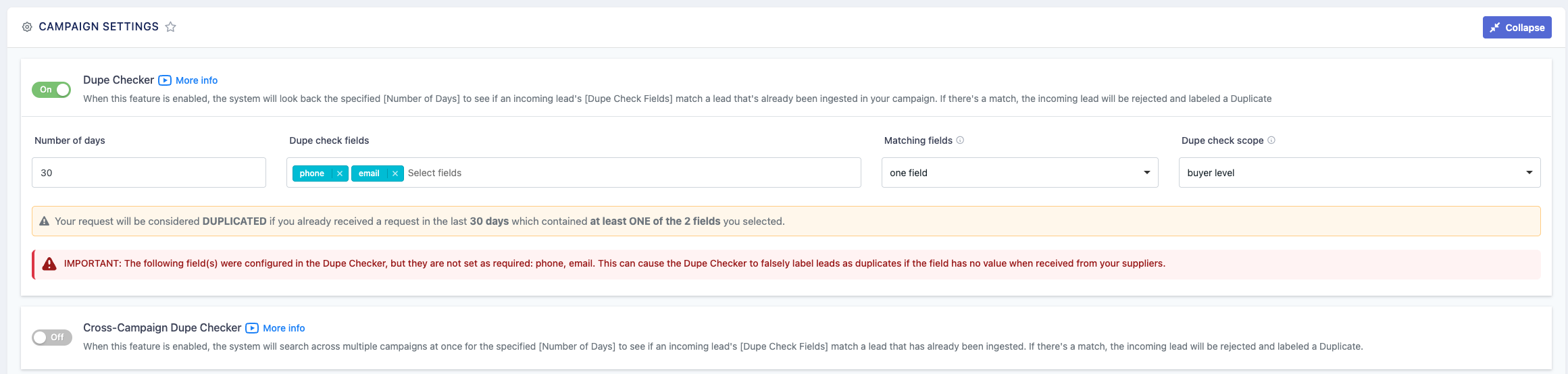
Important: If you are duplicate checking based on specific campaign fields, you should always mark those fields as required. If a campaign field is added as a Dupe Check field and comes through with an empty value, the system may incorrectly label that lead as a duplicate.
The Dupe Checker has the following configurable options:
Number of Days — The time frame to look back when checking for duplicate leads.
Dupe Check Fields — Select one or more campaign fields to check against for duplicates. The most common fields are phone and email.
Matching Fields — When multiple Dupe Check Fields are selected, you can choose whether a lead is considered a duplicate when ALL dupe check field values match, or when at least ONE of the dupe check field values matches.
Dupe Check Scope — Three options are available:
- Campaign Level — If the lead already exists anywhere in the campaign, it is flagged as a duplicate and will not be accepted from the Supplier or sold to Buyers.
- Buyer Level — Checks for duplicates at the Buyer level. If a lead comes in as a duplicate but has only been sold to one of your five Buyers, the Dupe Checker flags the lead as a duplicate for that Buyer only, excluding the Buyer that already accepted the lead while letting the remaining Buyers have the chance to purchase it.
- Client Level - Checks for duplicates at the Client level. Similar to the Buyer Level dupe check setting, but instead checks against all buyers who are sharing the same Client.
Cross-Campaign Dupe Checker
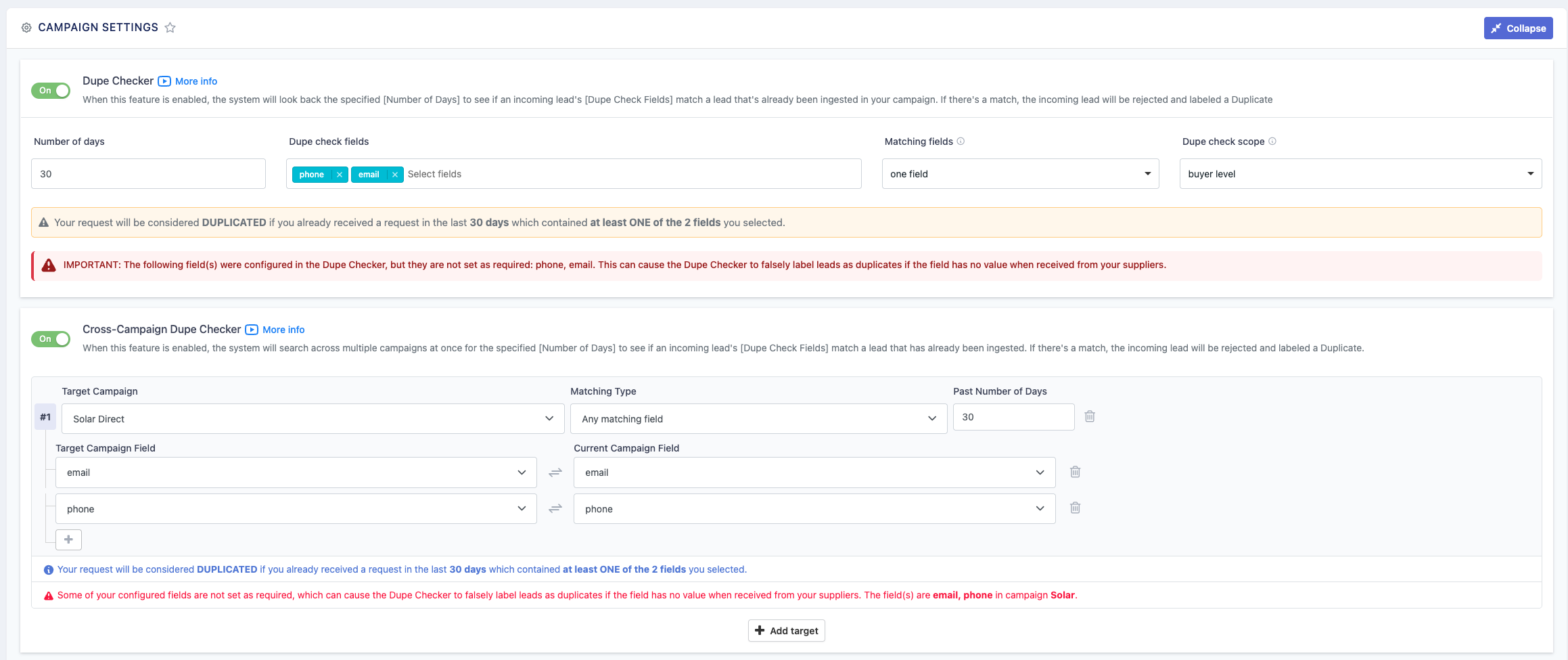
When enabled, the Cross-Campaign Dupe Checker allows you to check incoming leads against additional campaigns. You configure it by mapping your campaign's field values to their corresponding fields in the other campaign. Once the mapping is complete, any incoming leads will also be checked against the additional campaigns for duplicates.
The Cross-Campaign Dupe Checker uses the other campaign's dupe check settings, not your current campaign's settings.
Pre-Ping Dupe Check (Direct Post Campaigns Only)
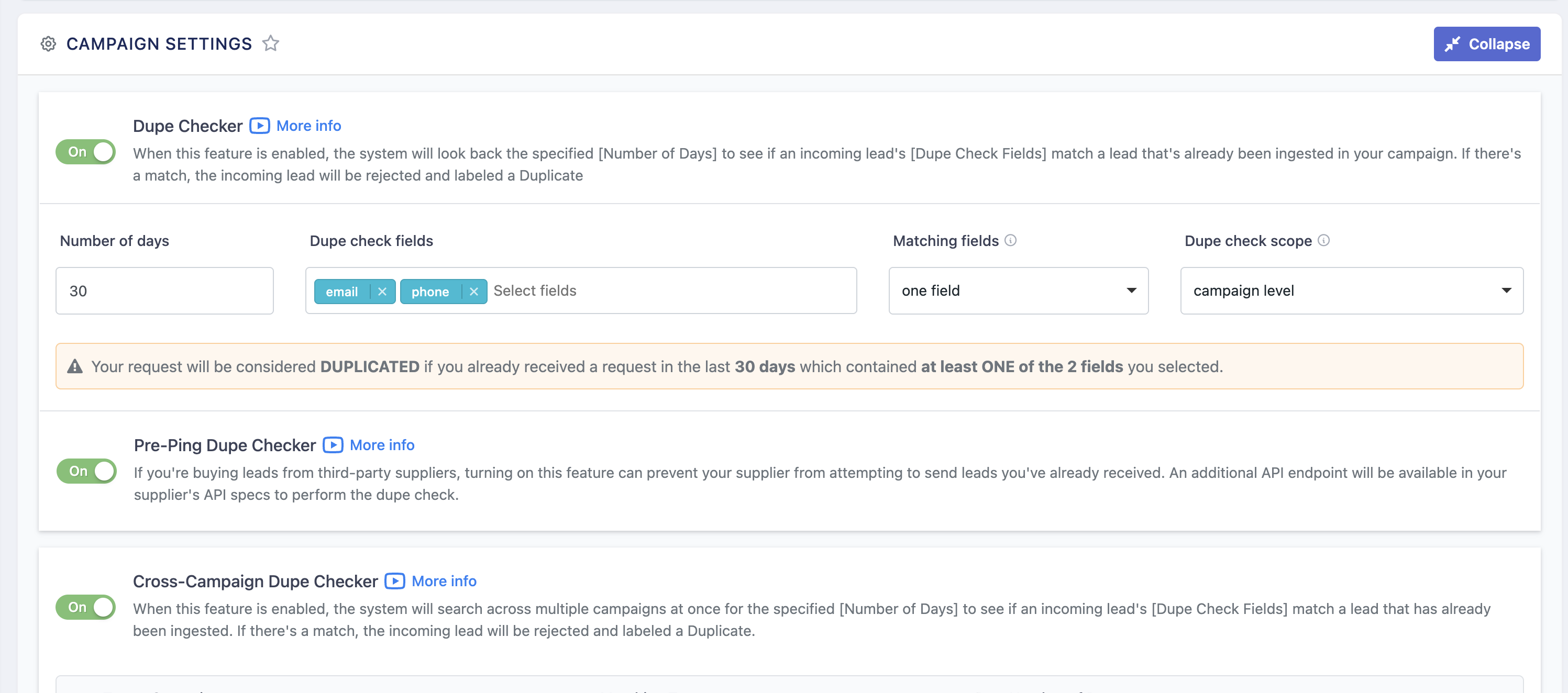
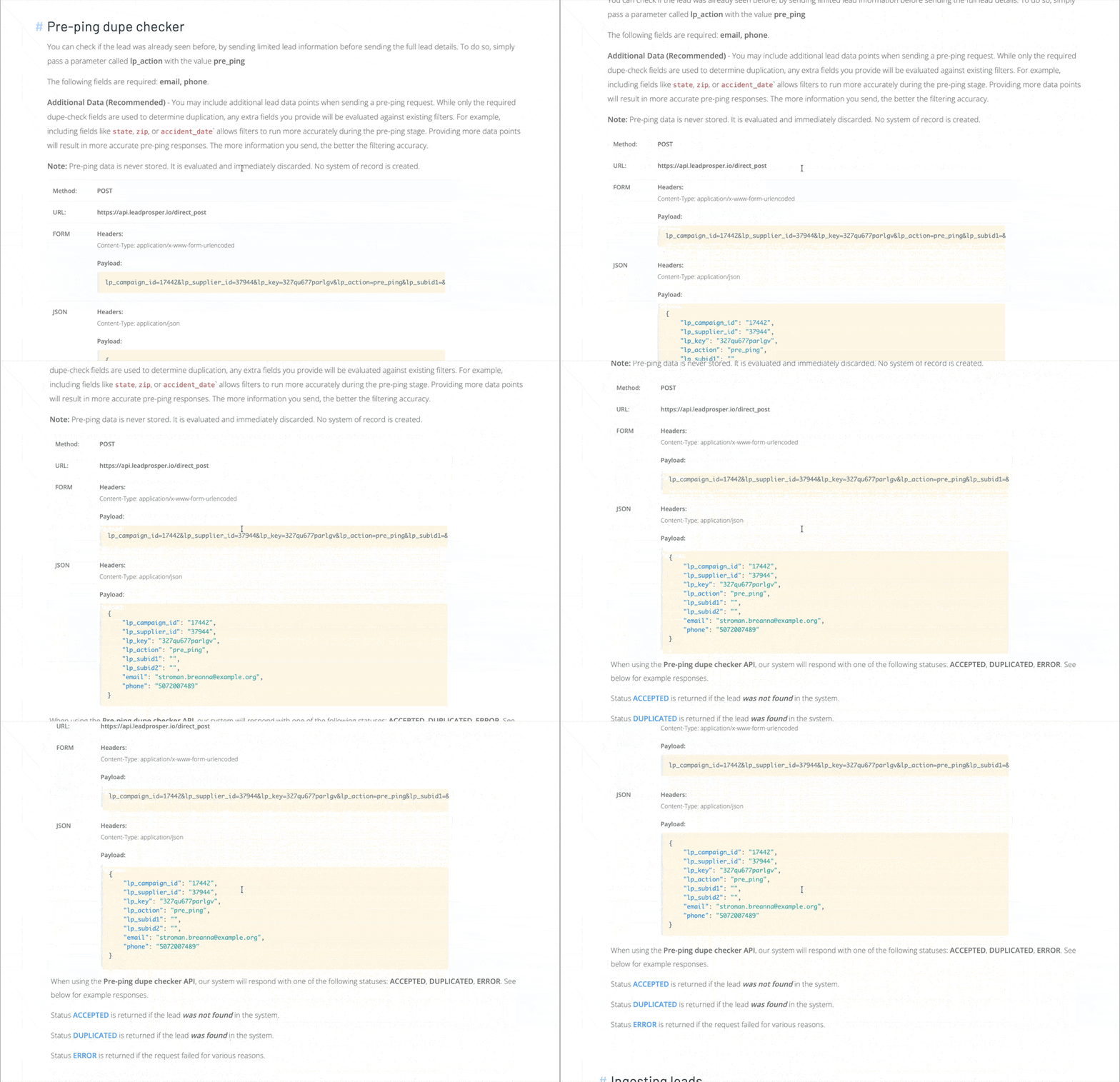
Available only on Direct Post campaigns, the Pre-Ping Dupe Check provides an additional endpoint for Suppliers to send lead data before submitting the full POST. This allows Suppliers to check whether a lead is a duplicate before sending it. At the same time, the pre-ping checks the lead against filters, caps, and other criteria to determine not only if the lead is a duplicate, but also whether it can be ingested if the Supplier sends it.
Note: Lead Prosper does not store any logs or reports related to pre-ping dupe checks other than a count of the requests received. There are no logs of the actual data that was sent, making it safe to send non-hashed phone numbers, emails, and other PII on the pre-ping without concern that it will be stored in Lead Prosper.
Duplicated by Buyer
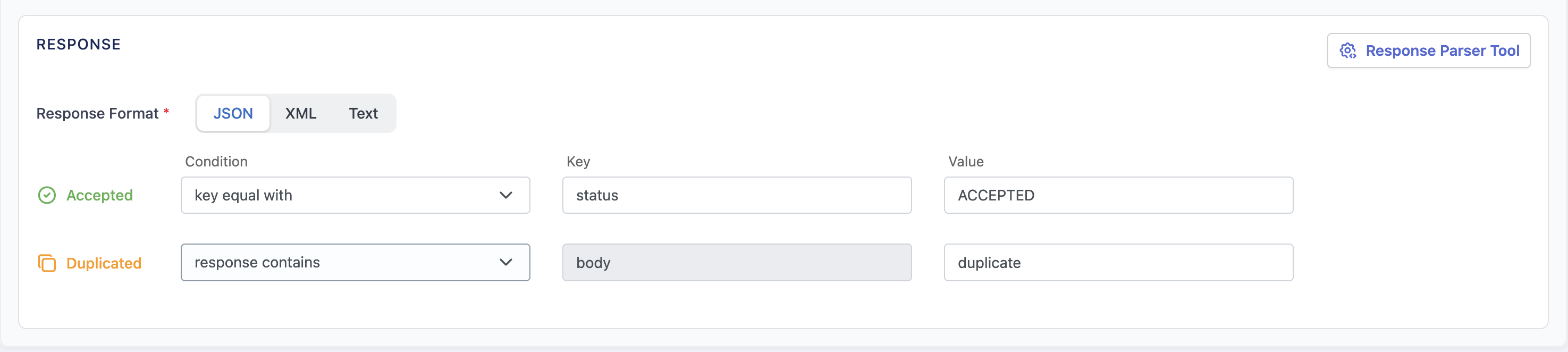
When setting up a Direct Post or Ping Post Buyer, you can configure a Duplicate response mapping. When a lead comes in that matches that mapping, it is flagged as "Duplicated by Buyer."
A lead that is flagged as Duplicated by Buyer is treated as rejected on the buyer level, which means the lead can attempt to sell to other Buyers in your campaign if the campaign settings allow it.
A lead that has been flagged as Duplicated by Buyer is not considered a duplicate lead on the Supplier or Campaign level in Lead Prosper. It is only considered a duplicate on the Buyer level.
Internal Duplicate Checks
Lead Prosper runs automatic duplicate checks on every incoming lead from a Supplier. These are system-level checks that cannot be disabled or edited.
Duplicate Supplier Request — Triggers when a Supplier sends a request where the body matches a prior request from the same Supplier within the same campaign in a 1-minute interval.
Duplicate Data — Triggers when a Supplier sends matching data points (as defined by the campaign's Dupe Checker settings) more than once within a 1-minute interval. This check ignores the previous request's status. For example, if your campaign Dupe Checker is enabled and set to check email or phone, and two leads arrive within 15 seconds of each other with matching email and phone values, the second lead will receive a duplicate data error.