.png)
Buyer Profile - Platform Tour
The Buyer Settings page is where you create and manage the buyers that receive or purchase leads from your campaign. From this page, administrators and team members can configure buyer profiles, build API payloads, control pricing and caps, and define how the system interprets responses from each buyer.
Because every buyer may have different technical requirements, this page provides flexible tools to customize how lead data is formatted, delivered, and processed when communicating with each buyer’s endpoint.
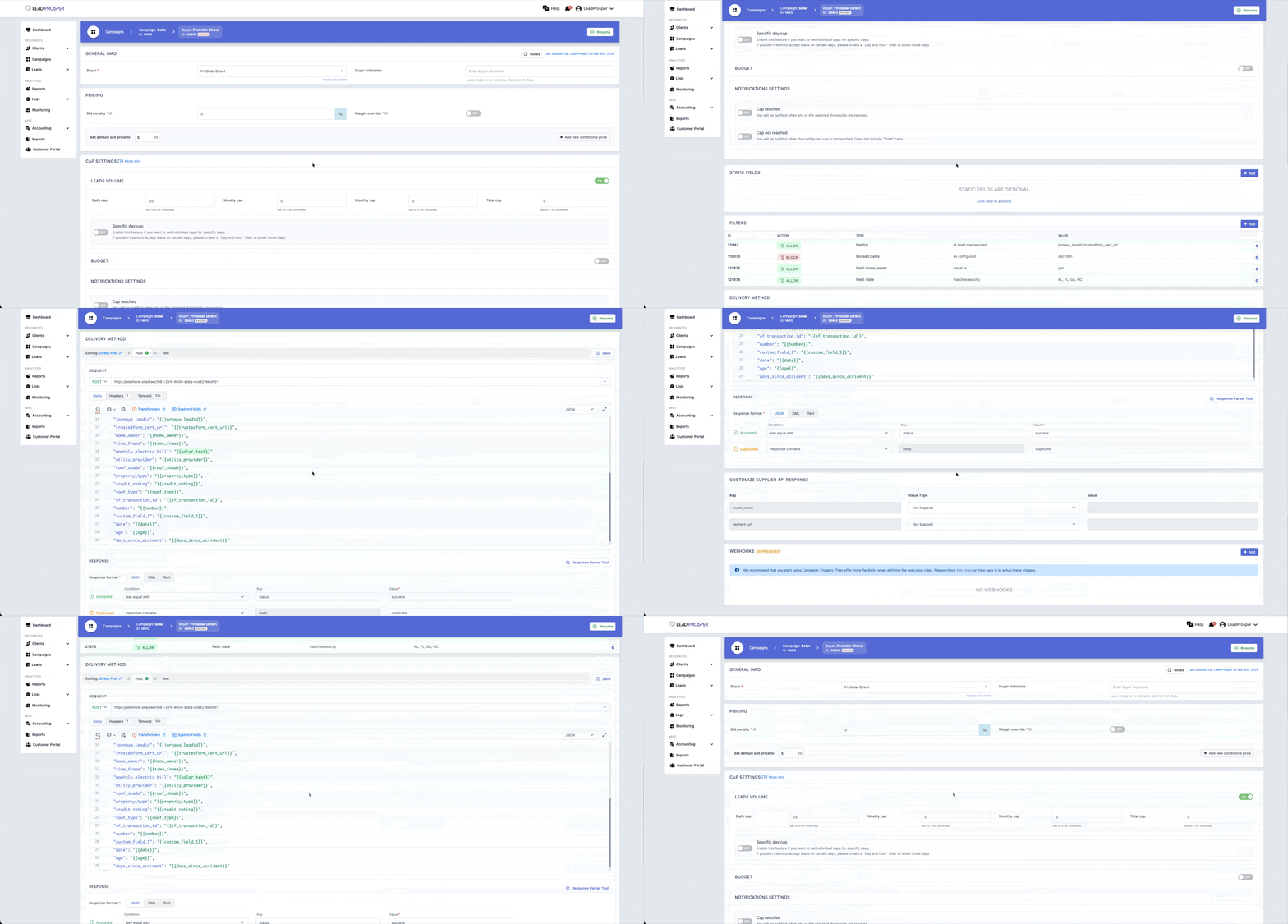
On the Buyer Settings page, you can:
- Create and manage buyer profiles
- Assign or update the Client and nickname associated with the buyer
- Configure static, conditional, or real-time bid pricing
- Manage volume and budget caps
- Apply buyer-level filters
- Build and manage buyer payloads
- Configure response mappings for buyer API responses
- Use the Test Buyer Tool to verify integrations before activating the buyer
Key Features
Buyer Payload Configuration
Each buyer requires its own payload configuration. Buyers can receive leads using several delivery methods including Direct Post, Ping Post, Google Sheets, or Email. Payloads can be formatted in FORM, JSON, or XML and built using campaign fields, system fields, or computed fields to match each buyer’s API specifications.
Pricing and Distribution Controls
Buyer pricing can be configured in several ways depending on the campaign setup. For Direct Post campaigns you can set static or conditional pricing, while Ping Post Exchange campaigns can utilize real-time bid prices returned by the buyer during the PING response.
Response Mappings
Response mappings allow the campaign to correctly interpret the responses returned by the buyer’s API. You can define how responses are categorized, including Accepted/Success, Duplicate, and Real-Time Price, ensuring the campaign properly processes each lead attempt.
The Buyer Settings page ensures that each buyer is properly configured to receive leads and communicate with your campaign. It is commonly used when adding new buyers, updating payload configurations, adjusting pricing logic, or troubleshooting buyer integrations. By allowing full control over payload structure, pricing rules, and response handling, this page ensures leads can be delivered accurately and efficiently to every buyer in your campaign.