.png)
Buyer Payload Builder - Platform Tour
The Buyer Payload Builder is part of the Buyer Profile and is where you configure the lead data that will be sent to a buyer’s endpoint. This page allows administrators and team members to build the payload structure required by each buyer’s API and control how lead data is formatted and transmitted.
Because every buyer may have different API requirements, this page provides flexible tools to format requests, map fields, and transform lead data so it matches the specifications provided by the buyer.
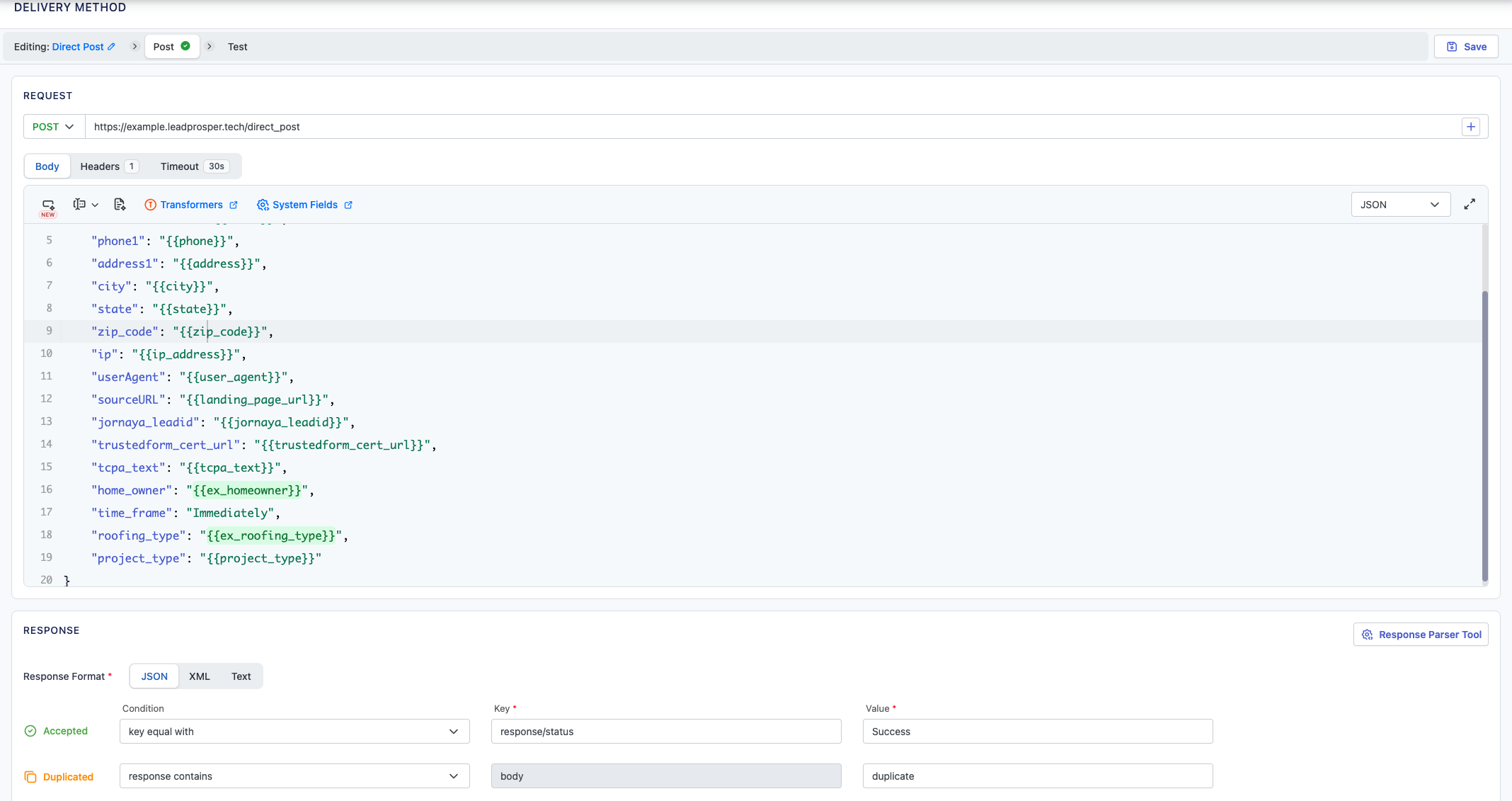
On the Buyer Payload Builder, you can:
- Create payloads in FORM, JSON, or XML format
- Configure the Request Type (GET, POST, PUSH, or PUT)
- Set the Posting URL
- Add Custom Headers
- Increase or decrease Connection Timeouts
- Build payload fields using Campaign Fields, System Fields, and Computed Fields
- Use Computed Fields to transform and format lead data to meet buyer requirements
- Configure Response Mappings to correctly interpret buyer API responses
Key features of the Payload Builder include:
Payload Builder
The payload builder allows you to structure the data that will be sent to the buyer’s endpoint. Payloads can be built using campaign fields, system fields, or computed fields and formatted to match the exact requirements of the buyer’s API documentation.
Data Transformation with Computed Fields
Computed Fields can be used to transform incoming lead data before it is sent to the buyer. This makes it possible to combine fields, apply formatting, or adjust values so the data collected from suppliers matches the buyer’s expected format.
Response Mapping
Response mappings allow the system to properly interpret the responses returned by the buyer’s API. You can define how responses should be categorized, such as Accepted/Success, Duplicate, or Real-Time Price, ensuring the campaign correctly processes the outcome of each lead delivery attempt.
The Buyer Payload page ensures that lead data is formatted and delivered correctly to each buyer in your campaign. It is commonly used when setting up a new buyer integration, adjusting payload structure to match updated API specifications, or transforming lead data to meet buyer requirements. Properly configuring the payload ensures reliable communication between Lead Prosper and your buyer endpoints.
Additional Resources: