.png)
Campaigns List - Platform Tour
The Campaigns page displays all campaigns within your Lead Prosper account and serves as the main starting point for managing campaign activity. From this page, administrators and team members can search for existing campaigns, access them for review or updates, and create new campaigns as needed.
Campaigns can also be organized using tags and favorites, making it easier to locate and manage important campaigns across your account.
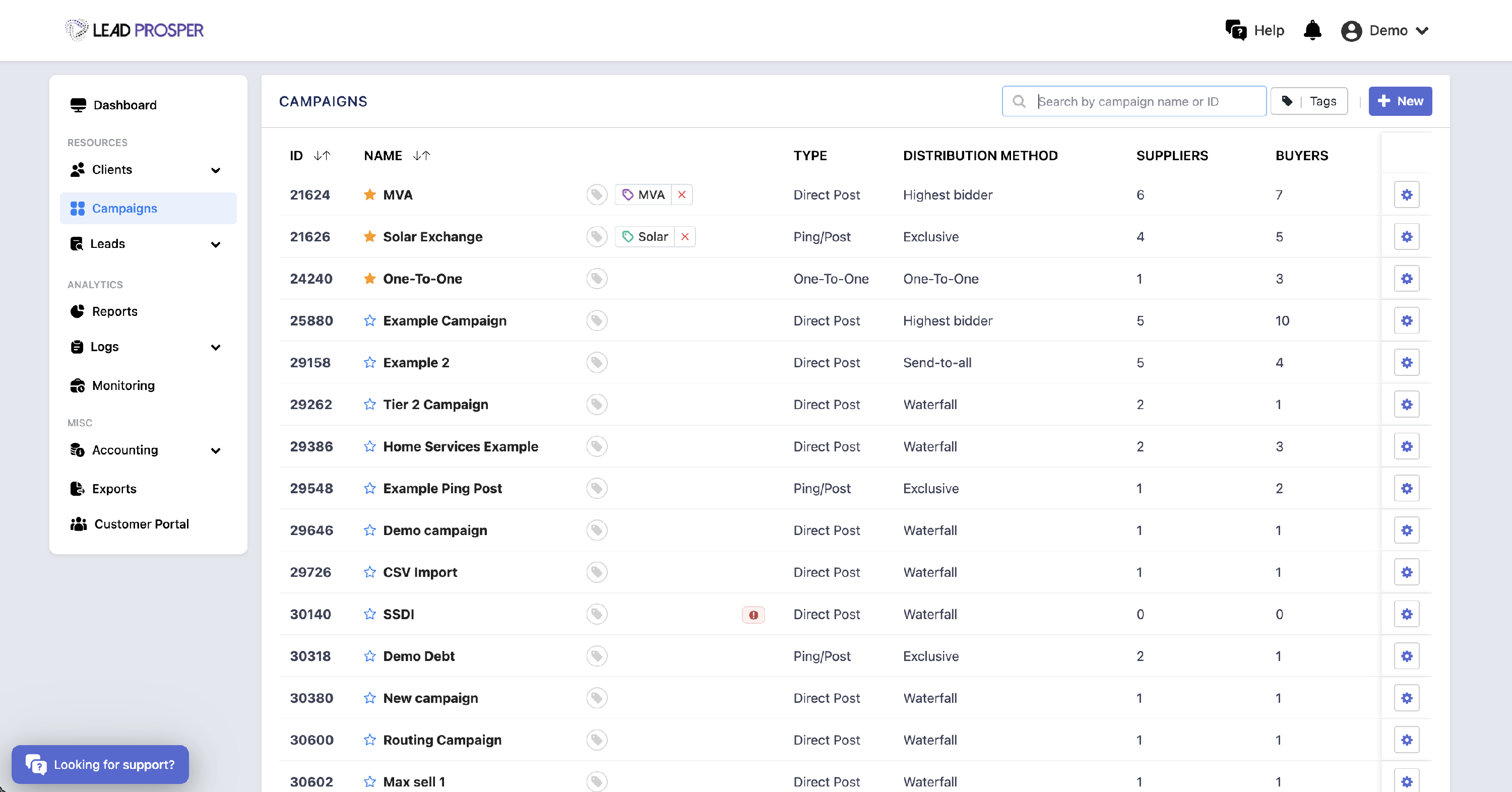
On the Campaigns page, you can:
- View and search through all campaigns in your account
- Access campaigns to review or update their settings
- Create new campaigns
- Apply tags to organize campaigns by category or vertical
- Favorite campaigns to keep frequently used campaigns at the top of the list
The Campaigns page acts as the central hub for managing your lead distribution campaigns. It is commonly used when creating new campaigns, locating existing campaigns for updates, or organizing campaigns using tags and favorites. By providing quick access to all campaigns in one place, this page helps administrators and team members efficiently manage campaign activity across the platform.