.png)
Dupe Checking & Customizing The Supplier API Response In Campaign Settings
Each Campaign has its own settings you can configure to control how it runs. Two of the most useful are the Dupe Checker and Customize Supplier API Response settings, which can be controlled per Campaign using the "Campaign Settings" feature.
The Dupe Checker checks whether a Lead has already been sold within the Campaign during a specified time range, letting you prevent double-selling a Lead that's already been sold. You can also put a Pre-Ping Dupe Checker in place for a Direct Post Campaign, and enable Cross-Campaign Dupe Checking to check Leads against Leads sold in other Campaigns in your account.
Customize Supplier API Response lets you add or remove data in the Supplier API Response sent back to your Suppliers, based on their requirements. Data you can include:
- Dynamic data gathered from a Buyer's API response
- Details about the Buyer(s) who purchased the Lead and the price paid
- Metadata such as total execution time or how many times the Lead was sold

Dupe Checker
Every Campaign allows you to enable duplicate checking for incoming Leads. The Dupe Checker flags incoming Leads as duplicates in real time by comparing them against previously Accepted or Sold Leads within the Campaign, while they are being sent by your Suppliers. This prevents buying and ingesting Leads multiple times and helps prevent double-selling.
The Dupe Checker only checks against Accepted or Sold Leads.
Campaign Dupe Checker
The Dupe Checker has the following configurable options:
Number of Days — The time frame to look back when checking for duplicate leads.
Dupe Check Fields — Select one or more campaign fields to check against for duplicates. The most common fields are phone and email.
Matching Fields — When multiple Dupe Check Fields are selected, you can choose whether a lead is considered a duplicate when ALL dupe check field values match, or when at least ONE of the dupe check field values matches.
Dupe Check Scope — Three options are available:
- Campaign Level — If the lead already exists anywhere in the campaign, it is flagged as a duplicate and will not be accepted from the Supplier or sold to Buyers.
- Buyer Level — Checks for duplicates at the Buyer level. If a lead comes in as a duplicate but has only been sold to one of your five Buyers, the Dupe Checker flags the lead as a duplicate for that Buyer only, excluding the Buyer that already accepted the lead while letting the remaining Buyers have the chance to purchase it.
- Client Level - Checks for duplicates at the Client level. Similar to the Buyer Level dupe check setting, but instead checks against all buyers who are sharing the same Client.
Important: If you're checking specific fields, mark them as required. An empty field value will cause the Dupe Checker to be ignored, risking a duplicate Lead being ingested into the Campaign and sold to Buyers.

Pre-Ping Dupe Check (Direct Post Campaign Only)
Available only on Direct Post Campaigns, the Pre-Ping Dupe Check provides an additional endpoint for Suppliers to send Lead data before submitting the full POST. This lets Suppliers check whether a Lead is a duplicate before sending it. At the same time, the pre-ping checks the Lead against filters, caps, and other criteria to determine not only whether the Lead is a duplicate, but also whether it can be ingested if the Supplier sends it.
Note: Lead Prosper does not store any logs or reports related to pre-ping dupe checks other than a count of the requests received. There are no logs of the actual data that was sent, making it safe to send non-hashed phone numbers, emails, and other PII on the pre-ping without concern that it will be stored in Lead Prosper.

Cross-Campaign Dupe Checker
When enabled, the Cross-Campaign Dupe Checker lets you check incoming Leads against additional Campaigns. You configure it by mapping your Campaign's field values to their corresponding fields in the other Campaign. Once the mapping is complete, incoming Leads are also checked against the additional Campaigns for duplicates.
Note: The Cross-Campaign Dupe Checker uses the other Campaign's dupe check settings, not your current Campaign's settings.

Looking for more resources on Dupe Checking? Check out these articles:
The Different Levels Of Duplicate Checks in Lead Prosper
Check For Duplicate Leads Across Multiple Campaigns With Cross-Campaign Dupe Checker
Customize Supplier API Response
Customize Supplier API Response controls what data Lead Prosper sends back to your Suppliers in the API response, beyond a Lead's basic accept or reject status. You can pass through custom fields sourced from your Buyer's response, expose Buyer and sale details, surface validation error information, and add meta stats like revenue and execution time.

The options below let you tailor exactly what each Supplier sees based on your integration needs.
Pass data from your Buyer's API response back to the Supplier.
This feature lets you return one or more custom values to a Supplier through the Supplier API Response. For each field you create, you can configure the value returned on a per-Buyer basis using a Static Value, a value dynamically extracted from the Buyer's PING and/or POST response, or a Campaign/Computed Field with the option to apply a transformer before returning it.
The first step is to enable the feature, and then add the custom fields that you want to include in the Supplier API response.
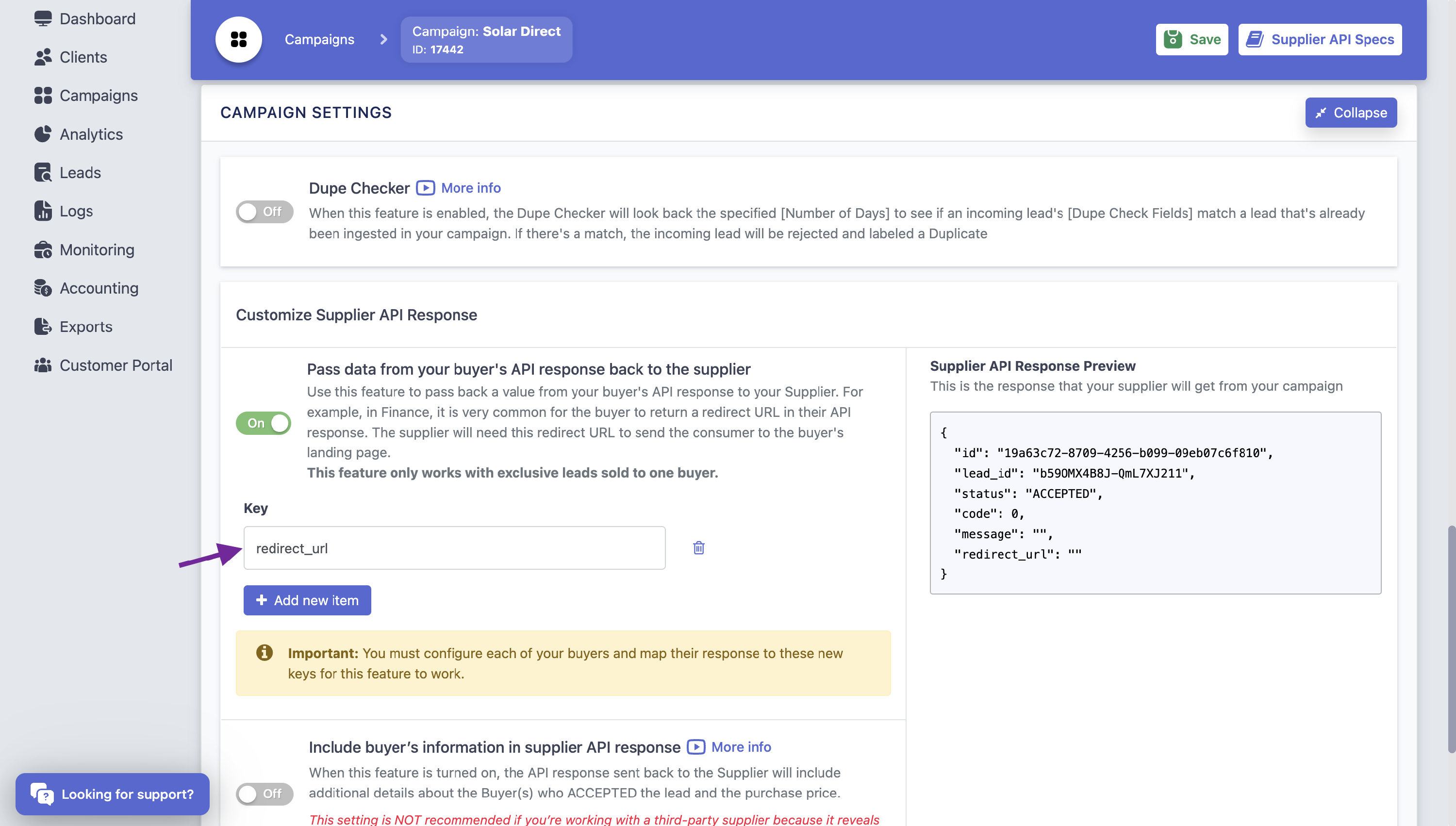
Then once that is done you will need to go into each Buyer in the campaign and set the data you want to pass back if the lead were sold to that buyer. The value can be Unmapped (meaning empty), a Static Value, a Dynamic Value pulled from the Buyer's PING or POST response, and more.
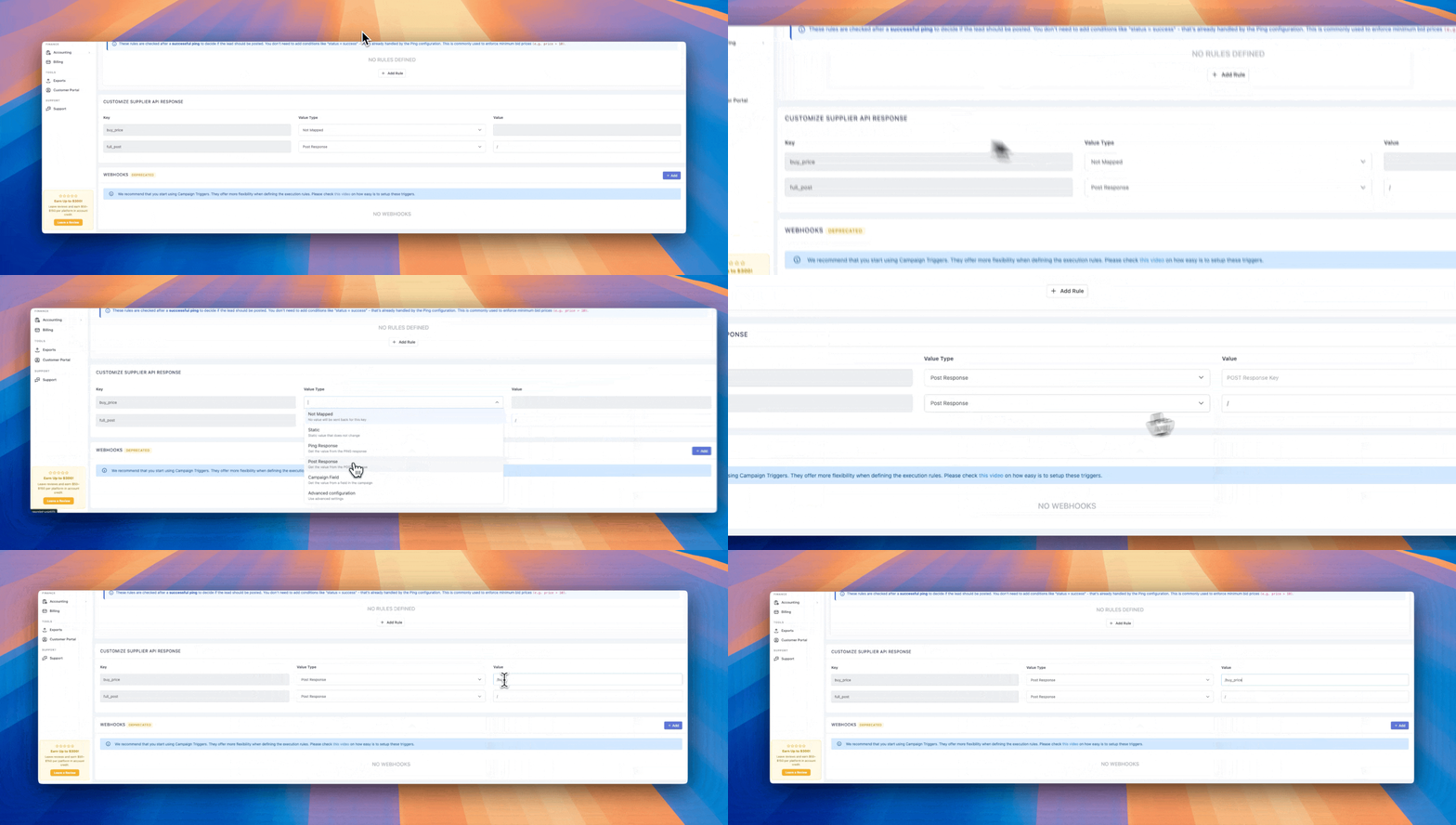
To learn more about how to add custom data to the Supplier API response please review this article:
Returning a Value to a Supplier's API from a Buyer's Response
Common use cases include returning a Buyer-provided redirect URL, sending a static thank-you page URL when a specific Buyer accepts the Lead, or passing back any other data the Supplier needs. The fields and values are fully customizable based on your integration requirements.
This feature is only available for Exclusive Leads sold to a single Buyer.
Include Buyer's Information in Supplier API Response (Direct Post Only)
When this feature is turned on, the API response sent back to the Supplier includes additional details about the Buyer(s) who accepted the Lead and the purchase price.
NOTE: This exposes the sale price and the Buyer's identity to every Supplier on this Campaign. If you're working with third-party Suppliers, turn on Remove Buyer PII to hide Buyer identities, and/or Limit to Specific Suppliers to control who receives this data.
Default: the default fields returned when enabled include:
idbuyer_typeclient— this object contains all of the Client information the Buyer is associated with, including the Client ID, Company, Email, Phone, First Name, Last Name, Phone, and Full Name.name— the Buyer name. If a Nickname is set it will be shown, otherwise it will show the Buyer's name as configured in LP.sell_price— thelp_lead_sell_pricevalue the Lead sold to your Buyer(s) for.status— the Lead status: Accepted, Duplicated, or Error.status_iderror_code— if the Lead comes back as an Error, this is the LP Error Code associated with why it failed.error_message— a message related to the error, if the Lead failed.
Include All Buyers: When turned on, the API response will include ALL configured Buyers and their status.
Remove Buyer PII: The name, company, email, and phone will be removed from the buyers/X/client object inside the Buyer information in the Supplier API Response. Only IDs will be sent back.
Include Full Request Log: When enabled, this returns the full API request and response.
Limit to Specific Suppliers: By default, every Supplier in this Campaign receives the Buyer info. Turn this on to restrict it to a specific list of Suppliers. Buyer Info will only be sent back to Suppliers that are selected — Suppliers not in the list will not receive Buyer information or sell_price in their API response.
Validation Error Details
When enabled, the Supplier API response will include additional details about validation errors when a Lead is rejected by a validation integration.
There are two options:
- Provider Name — the name of the integration that failed.
- Description — the data returned from the integration that provides insight into why it failed to validate the Lead.
By default, this feature returns validation details to all Suppliers. You can switch the option to Specific Suppliers to only return Validation Error Details for select Suppliers in the Campaign.
Include Meta
With this option turned on, a new meta object is returned in the Supplier API Response that includes data for revenue, sold_count , and execution_time :
revenue— how much the Lead sold for in total.sold_count— the number of times the Lead was sold. If the Campaign is set to Exclusive, this will always be 1; otherwise it shows a count of how many Buyers the Lead was sold to.execution_time— the total amount of time it took to execute the request.
Looking for more information on Customizing the Supplier API Response? Check out these articles:
Returning a Value to a Supplier's API from a Buyer's Response
Summary
Together, the Dupe Checker and Customize Supplier API Response settings give you control over both Lead validation and the data your Suppliers see after a sale. Dupe Checking — whether run at the Campaign level, Buyer level, via Pre-Ping, or Cross-Campaign — helps prevent the same Lead from being bought or sold more than once. Customize Supplier API Response lets you tailor exactly what gets returned to each Supplier, from Buyer details and sale price to validation errors and meta stats like revenue, sold count, and execution time. Both settings live under Campaign Settings, so you can configure them alongside the rest of your Campaign's setup. Reviewing these options for each Campaign helps keep your lead flow accurate and your Supplier integrations running smoothly.