.png)
Setting A Supplier Level Rule To Reject Bids Based On Buyer's Real Time Bid Price In A Ping Post Exchange
There are multiple ways to add a bid floor, or minimum, within your Campaigns. When you have a Supplier inside a Ping Post Exchange, you can set this up using the Minimum Required Buyer Bid setting.
Note: This feature is only available for Suppliers inside a Ping Post Exchange. It is not available for Suppliers in Direct Post campaigns.
How It Works
When Minimum Required Buyer Bid is set, the exchange will automatically reject a buyer's bid — even if it was otherwise accepted — if the bid price returned is lower than the value you set. This price rule is based on the literal bid price returned by buyers, before any margins are applied.
This feature is ideal for Ping Post Buyers in the Exchange who return real-time dynamic bid prices, but it also works with any other buyer as long as they have a Static or Conditional Price rule associated with them. If a buyer is set up with a Static or Conditional Price rule that is lower than the Supplier's Minimum Required Buyer Bid, every PING that Supplier sends to that buyer will automatically be rejected.
How To Set Up A Minimum Required Bid
- Go to your Ping Post Exchange, select your Supplier under the Suppliers list, and hit Edit.
- On the Supplier profile, find the Bid Configuration section and toggle ON Minimum Required Buyer Bid.
- Once enabled, enter the Minimum Required Buyer Bid price in the field provided.
- Hit Save.
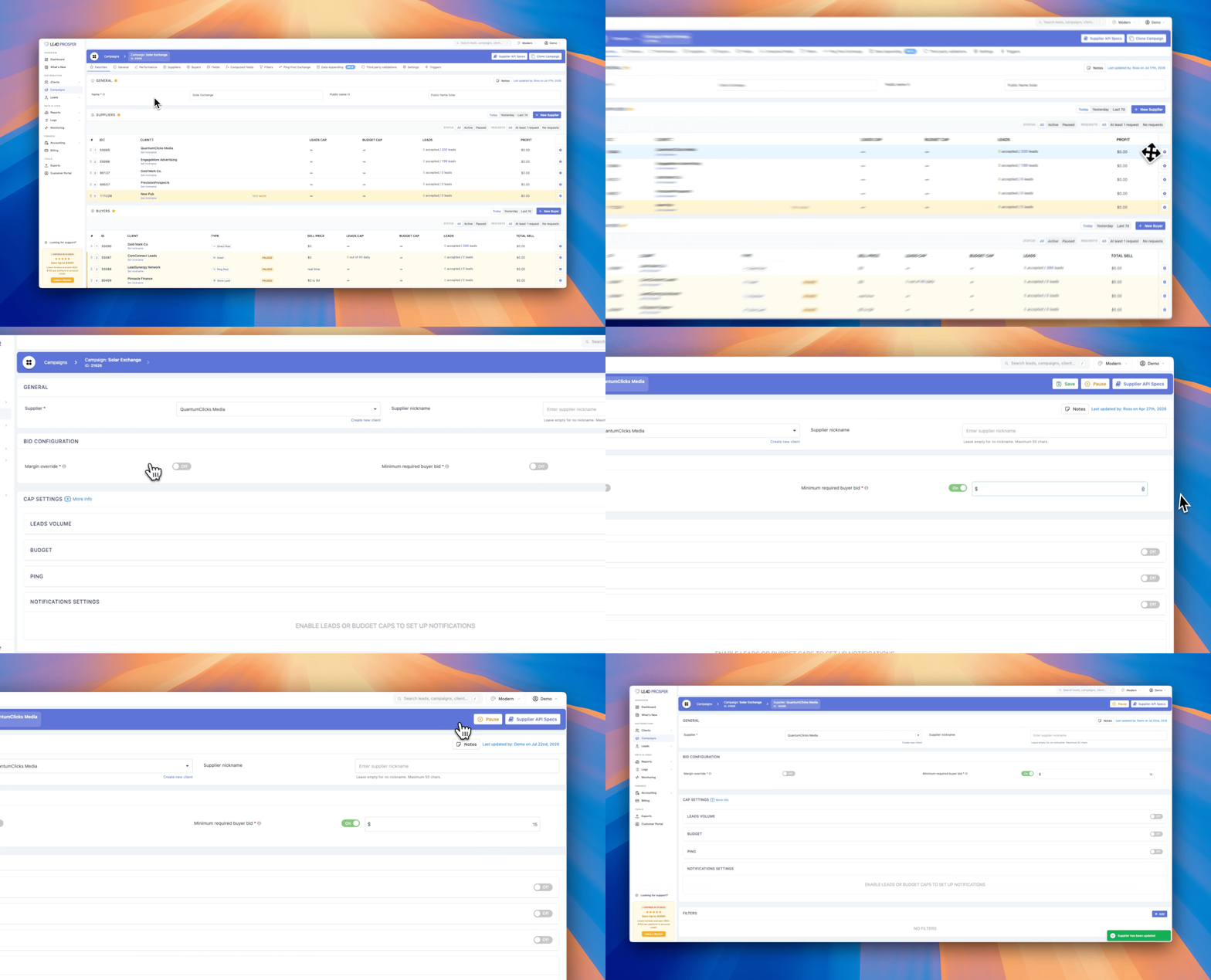
Once you have this set up, any bids returned from your buyers that comes in below the Minimum Required Buyer Bid will be automatically rejected and filtered by the Exchange. This helps to prevent your Exchange from returning back low bid prices that are far below expected prices from your Suppliers.
Setting a Minimum Required Buyer Bid gives you a simple way to protect your Exchange from receiving bids that fall short of your pricing expectations, without having to manually review each PING response. Once configured, the rule runs automatically for every PING sent to that buyer.
If you have any questions about setting up a Minimum Required Buyer Bid, contact Lead Prosper Support for help.