.png)
Supplier Profile - Platform Tour
The Supplier Profile page allows you to manage configuration details for individual Suppliers within a campaign. From this page, administrators can control how leads are received from a Supplier, including pricing rules, caps, filters, and campaign associations.
These settings help ensure that each Supplier operates within the correct limits while giving you control over how leads from that source are accepted, priced, and routed within the campaign.
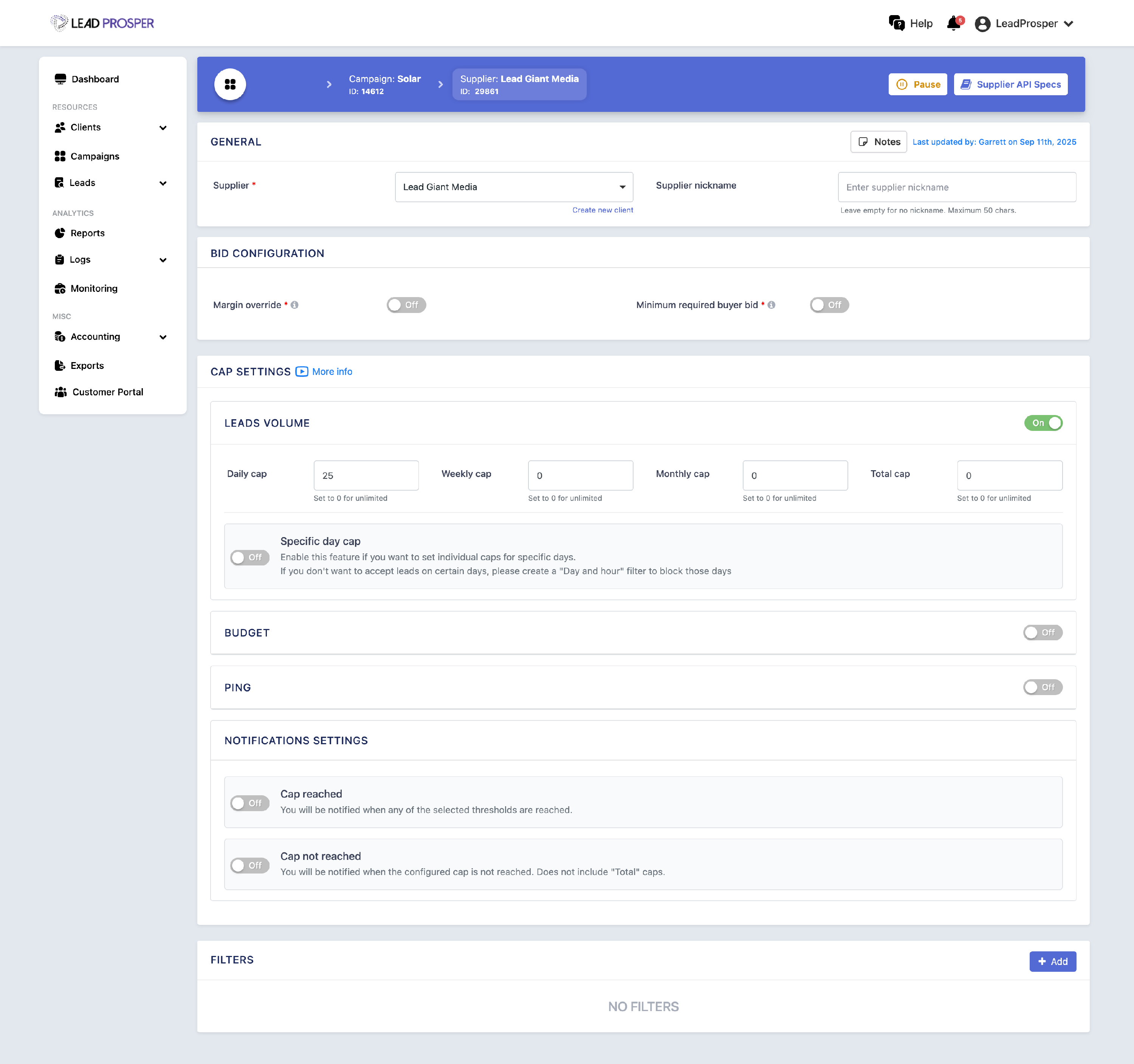
On the Supplier Settings page, you can:
- Change the Client associated with the Supplier
- Add or update a Supplier nickname for easier identification
- Configure static or conditional pricing for Direct Post campaigns
- Set margin overrides or minimum required bid prices for Ping Post Exchange campaigns
- Manage volume and budget caps for the Supplier
- Apply Supplier-level filters
Pricing Controls
For Direct Post campaigns, you can configure how much the campaign pays for leads from the Supplier. This can be set as static pricing (a fixed cost per lead) or conditional pricing, where pricing adjusts based on values within the lead.
For Ping Post Exchange campaigns, you can configure a Margin Override, which replaces the campaign’s default margin for that specific Supplier, as well as a Minimum Required Bid Price that automatically rejects leads if the highest buyer bid falls below the specified threshold.
Caps and Filters
Supplier settings also allow you to control volume and budget caps, helping ensure that lead flow from a specific source stays within defined limits. In addition, Supplier-level filters can be applied to control which leads are accepted from that Supplier based on campaign field values or other routing logic.
The Supplier Settings page gives you precise control over how each lead source interacts with your campaign. It is commonly used when adjusting pricing rules, setting lead caps, configuring filters, or updating the Supplier’s associated Client. By managing these settings at the Supplier level, administrators can fine-tune lead intake and ensure each source performs according to campaign requirements.