.png)
Accounting Tab - Platform Tour
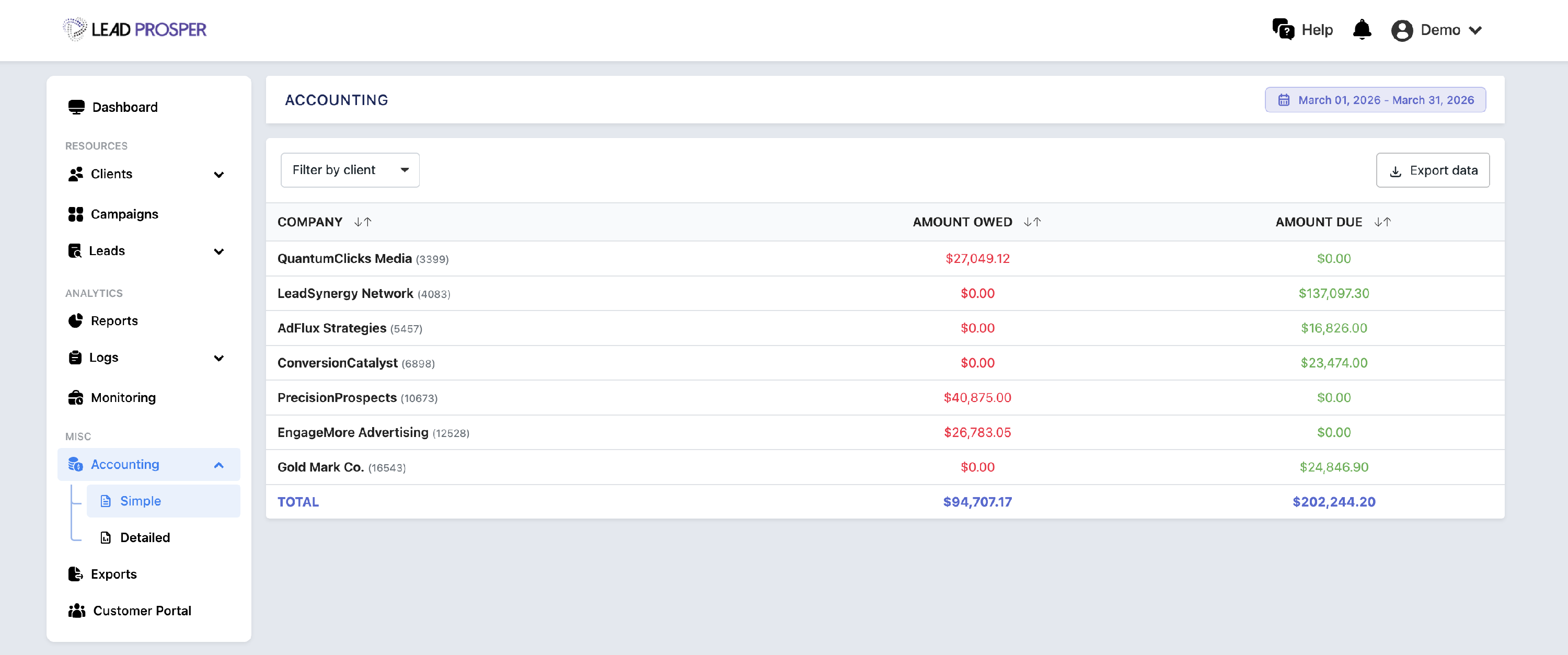
The Accounting Tab provides a financial breakdown of activity across your Lead Prosper account, organized by Client. It allows you to view how much you owe to Suppliers versus how much is owed to you by Buyers, along with overall revenue and profit metrics.
This page is designed to help administrators track financial performance and reconcile accounting data across campaigns, suppliers, and buyers.
On the Accounting Tab, you can:
- View amount owed vs. amount due for each Client over a selected timeframe
- Analyze performance by campaign, supplier, and buyer
- Review gross and net metrics including leads, cost, revenue, and profit
- Export accounting data to CSV or XLS for further analysis
- Switch between summary and detailed views of financial data
Key Features
Summary View
The summary view provides a high-level snapshot of each Client, showing total amounts owed to Suppliers and due from Buyers. This makes it easy to quickly understand overall financial positioning for a given timeframe.
Detailed Breakdown
The detailed view expands on the summary by breaking down metrics across campaigns, suppliers, and buyers. It includes key data points such as leads, gross and net cost, revenue, profit, and returned lead amounts—giving you full visibility into how financials are calculated.
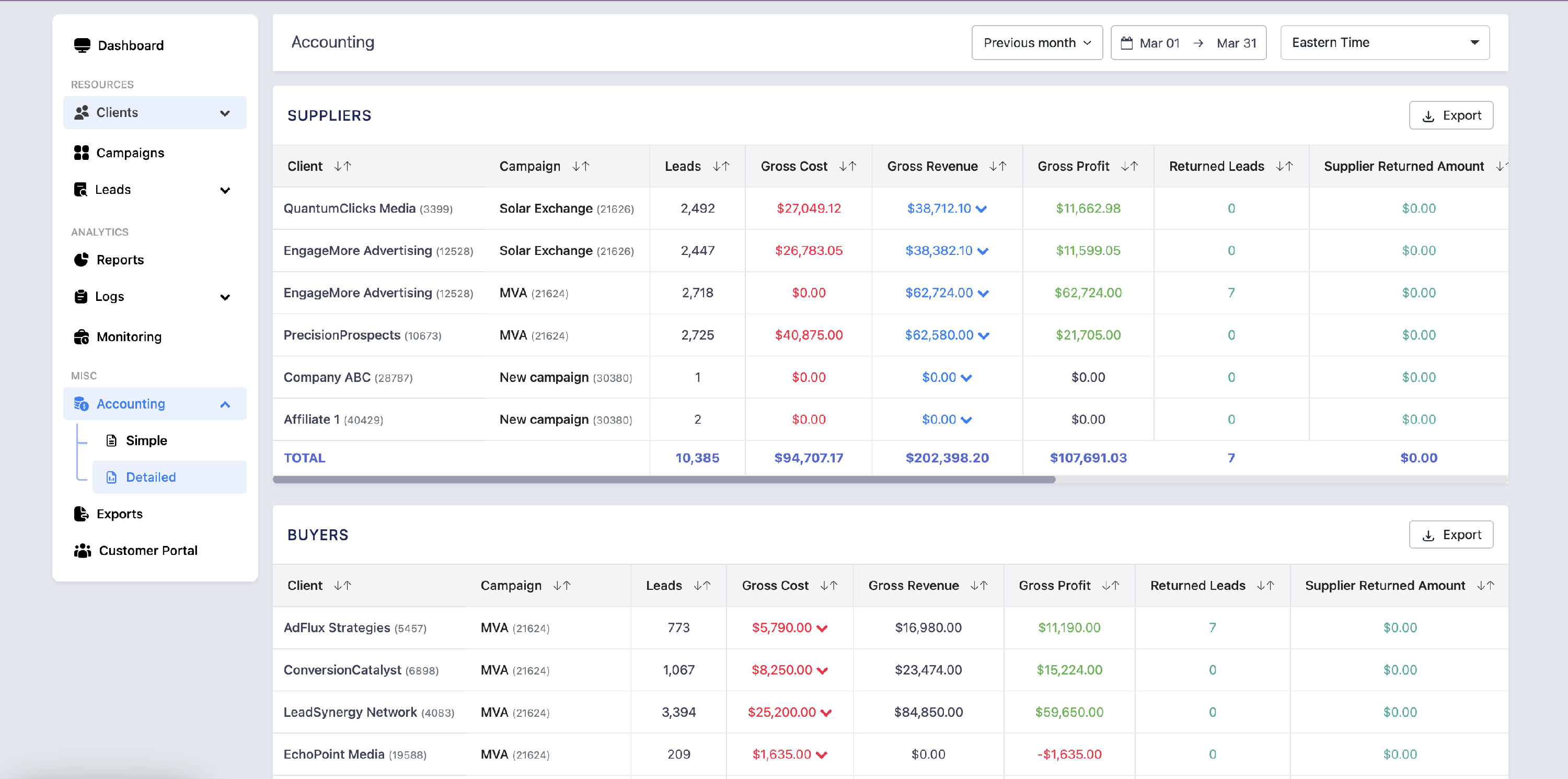
The Accounting Tab is essential for managing and reconciling financial activity within your Lead Prosper account. It is commonly used to review client-level profitability, track payments owed and due, and analyze performance across campaigns and partners. With both high-level summaries and detailed breakdowns, this page provides the insights needed to maintain accurate accounting and make informed financial decisions.